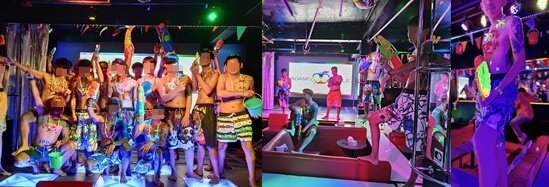
Songkran 2025 Chiang Mai
aa.thumb.png.77d1790d24100e0fec7aa3698a3407c3.png)
Event created by Fred Joos
This event began 04/13/2025 and repeats every 3 days until 04/15/2025
สุขสันต์วันสงกรานต์ 2025
Happy Songkran 2025 … at Adams Apple Club Chiang Mai
Sunday 13th April + Monday 14th April + Tuesday 15th April
Songkran is a term derived from the Sanskrit word, saṅkrānti (or, more specifically, meṣa saṅkrānti) and used to refer to the traditional New Year for Buddhist calendar. Thai New Year or Songkran is the Thai New Year's national holiday. Songkran is on 13 April every year, but the holiday period extends from 14 to 15 April.
Songkran 2025 Chiang Mai – We opened on Songkran and created special shows for our customers. Stay tuned and look forward to our shows during this very exciting time.
It takes place from the 13th – 15th April (the hottest time of the year) throughout the country, but Chiang Mai spreads this out for up to 5 days, making it one of the best places to celebrate the world’s biggest water fight.
A fun-loving venue that attracts a mixed crowd of straight and gay guests. All people from all over the world are welcome, regardless of nationality or orientation, popular with the LGBT community.
We wish YOU a Happy Songkran 2025
.jpg.a3f1d285f29de699e321e49f128afcc5.jpg)
.jpg.b1a3e8d6d2d376fe26748f5c39fdea62.jpg)
.jpg.6307a2c3a2f9018f76d987764fbc6ae9.jpg)
.jpg.b50c67074fdbda9b837ad2c7506216fc.jpg)
.jpg.d90f355b18b12151320f505cffd01f86.jpg)